Live · API Testing Platform by Geonix

Test every API.
Ship with confidence.

PulseAPI is a browser-based API testing workstation — collections, variables, pre/post scripts, Chai assertions, and a collection runner, all in one place.

5
HTTP Methods
Collections
JS
Scripting
0
Setup needed
scroll
App Preview

See it in action

A clean, focused interface built for speed. No clutter — just your requests and results.

pulseapi.geonix.pl
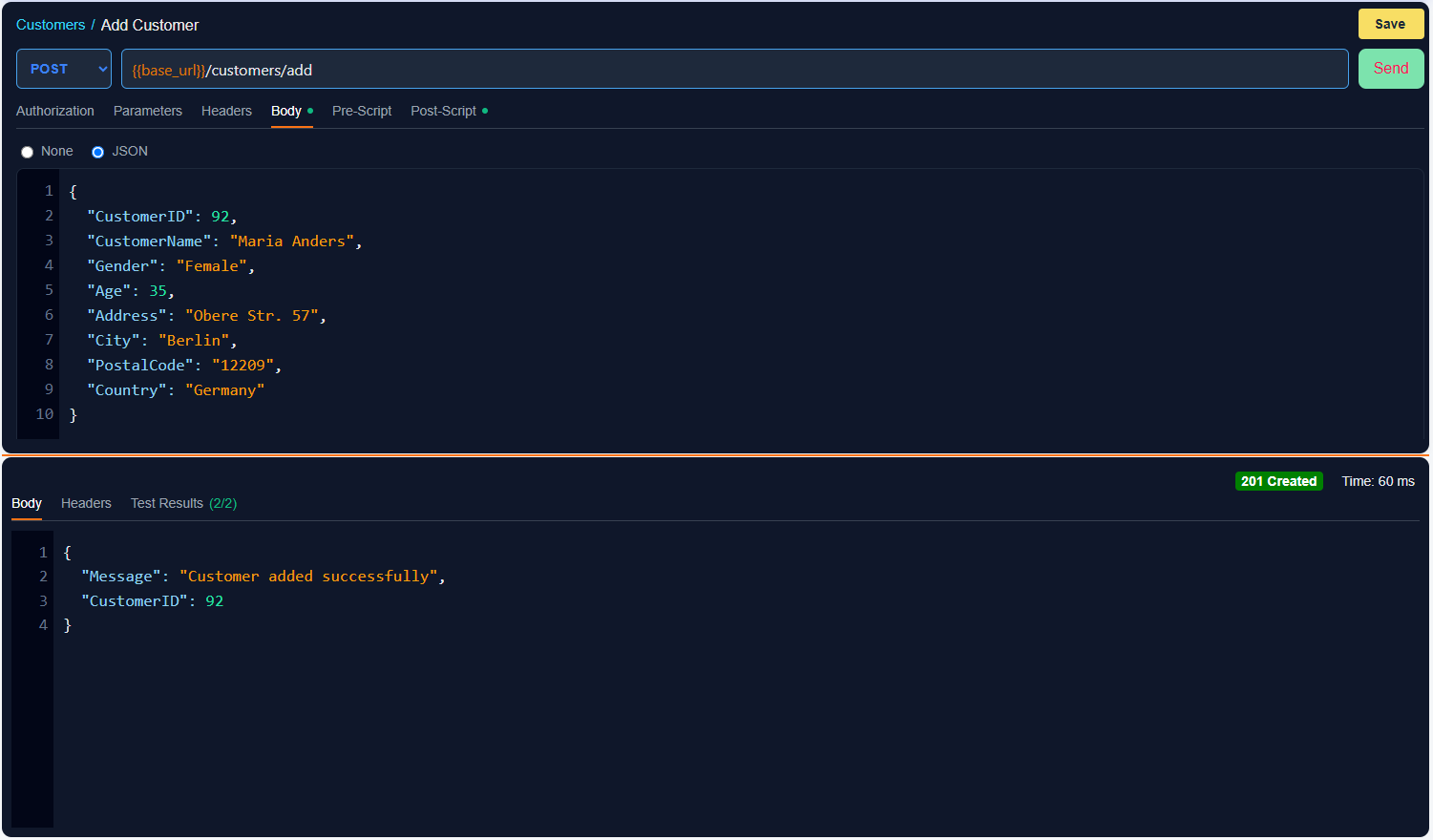
Request View
pulseapi.geonix.pl — Collections
Collections
pulseapi.geonix.pl — Variables
Variables
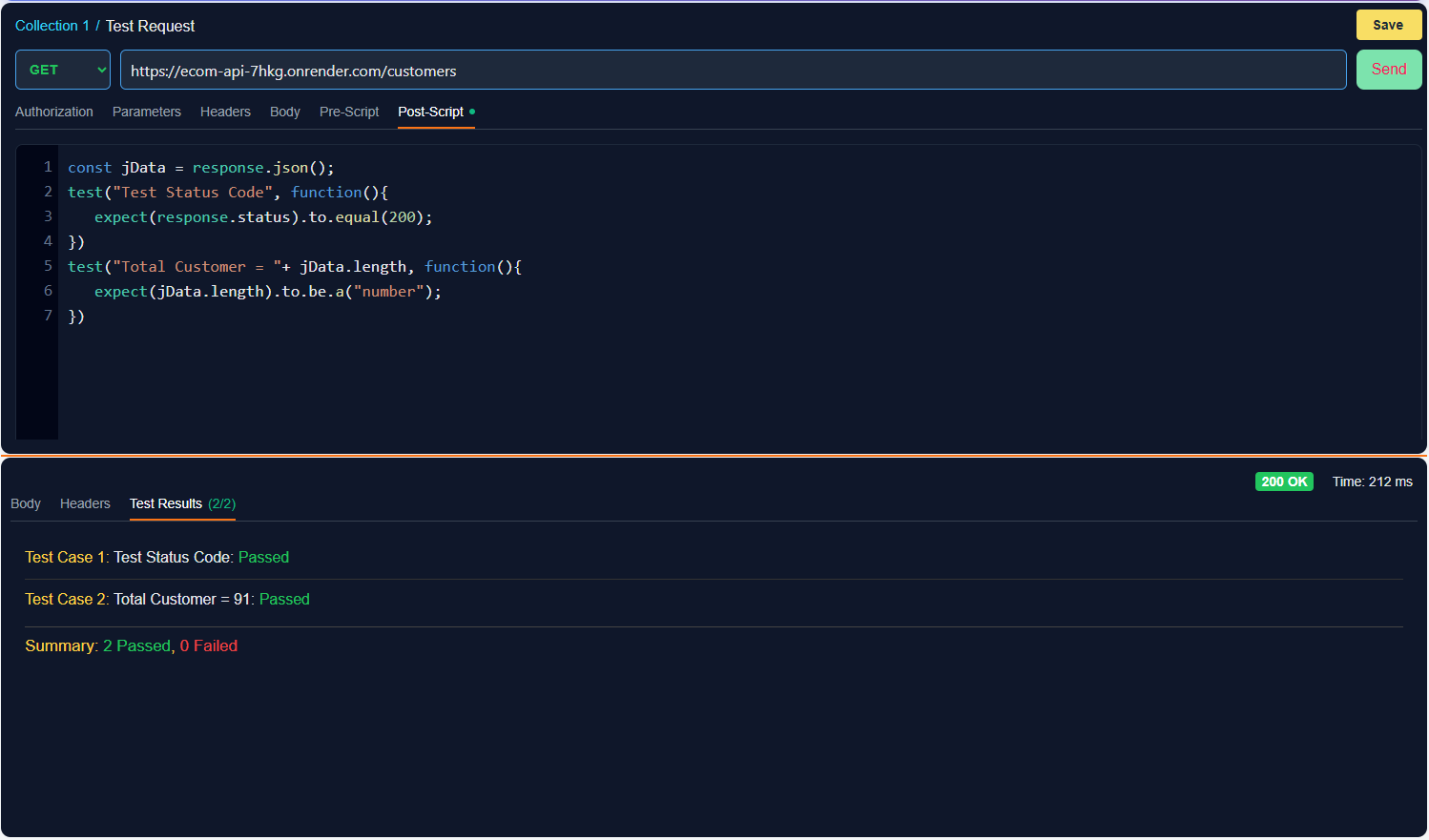
pulseapi.geonix.pl — Post-Script
Test Scripts
pulseapi.geonix.pl — Runner
Collection Runner
Features

Everything you need to test any API

Built for QA engineers and developers who need more than a basic request sender.

📦

Collections & Requests

Organise requests into named collections. Reorder, rename, and group them — everything syncs to your account.

🔑

Authorization

Bearer Token support built in. Set it once and PulseAPI injects the Authorization header automatically on every send.

🌍

Global Variables

Define base URLs, tokens, and shared values as globals. Reference them anywhere using {{variable}} syntax.

📂

Collection Variables

Scope variables per collection so different environments and projects stay completely isolated.

Pre-Request Scripts

Run JavaScript before each request — generate dynamic tokens, mutate payloads, or set variables programmatically.

Chai Assertions

Write post-request tests with Chai's expect API. Assert status codes, body fields, headers, and response time.

▶️

Collection Runner

Run an entire collection in one click, sequentially. Results appear in a clean pass/fail table per request.

🔎

Syntax Highlighting

JSON body, URL, and script editors all feature live syntax highlighting and line numbers — no raw text boxes.

👤

User Accounts

Sign up and your entire workspace — collections, requests, variables — is stored server-side. Access from any device.
How It Works

From zero to tested in four steps

1

Sign up

Create a free account. Your workspace is private and synced server-side — access it from any browser.

2

Create a collection

Group related requests into a named collection. Add collection-scoped variables for environment flexibility.

3

Build your requests

Set method, URL, headers, body, auth, and scripts. Use {{vars}} anywhere.

4

Run & assert

Send individually or run the full collection. Test results appear instantly below the response.

Scripting

Automate with JavaScript

Write pre-request and post-request scripts in plain JavaScript. Chai assertions come built in for expressive, readable tests.

  • Set or update globals and collection variables from scripts
  • Assert status codes, body fields, headers, and response time
  • Chain dependent requests by sharing extracted values
  • Log to the console for debugging complex flows
post-request-script.js JavaScript · Chai
// ─ Post-request test script ─────────────

const res = pm.response;

// 1. Assert HTTP status
expect(res.status()).to.equal(200);

// 2. Parse JSON body
const body = res.json();

// 3. Assert field exists
expect(body).to.have.property('token');

// 4. Save token as global variable
pm.globals.set('auth_token', body.token);

// 5. Check response time
expect(res.responseTime()).to.be.below(1000);
Ready to start?

Test your APIs today. Free, forever.

No installs. No config files. Sign up and your workspace is ready in seconds.